New event details page
The event details page has been redesigned so users can understand an event and act on it without leaving the page..png?sv=2026-02-06&spr=https&st=2026-11-26T15%3A17%3A07Z&se=2026-11-26T15%3A28%3A07Z&sr=b&sp=r&sig=PKZuRCLB0gYk7uTHDK82FWNPB%2FPDMS%2Fd3Im0XtF%2FCkA%3D)
Information is now organized into the following sections:
General: The event’s severity, description, and timing information (activation and closing date/time, duration).
Details: The content generated by the detail template associated with the event (optional).
Historical Occurrences: Past occurrences of the same event.
Troubleshooting: The set of remedies users can follow to try to resolve the issue.
Notes: Any notes added by technicians.
Users can now see whether a problem keeps coming back (Historical Occurrences), follow how it developed, and start fixing it straight away (Troubleshooting).
Every section except Details is filled in automatically.
If you have already defined an event details template, review it and remove any information now shown in the other sections, so it doesn’t appear twice.
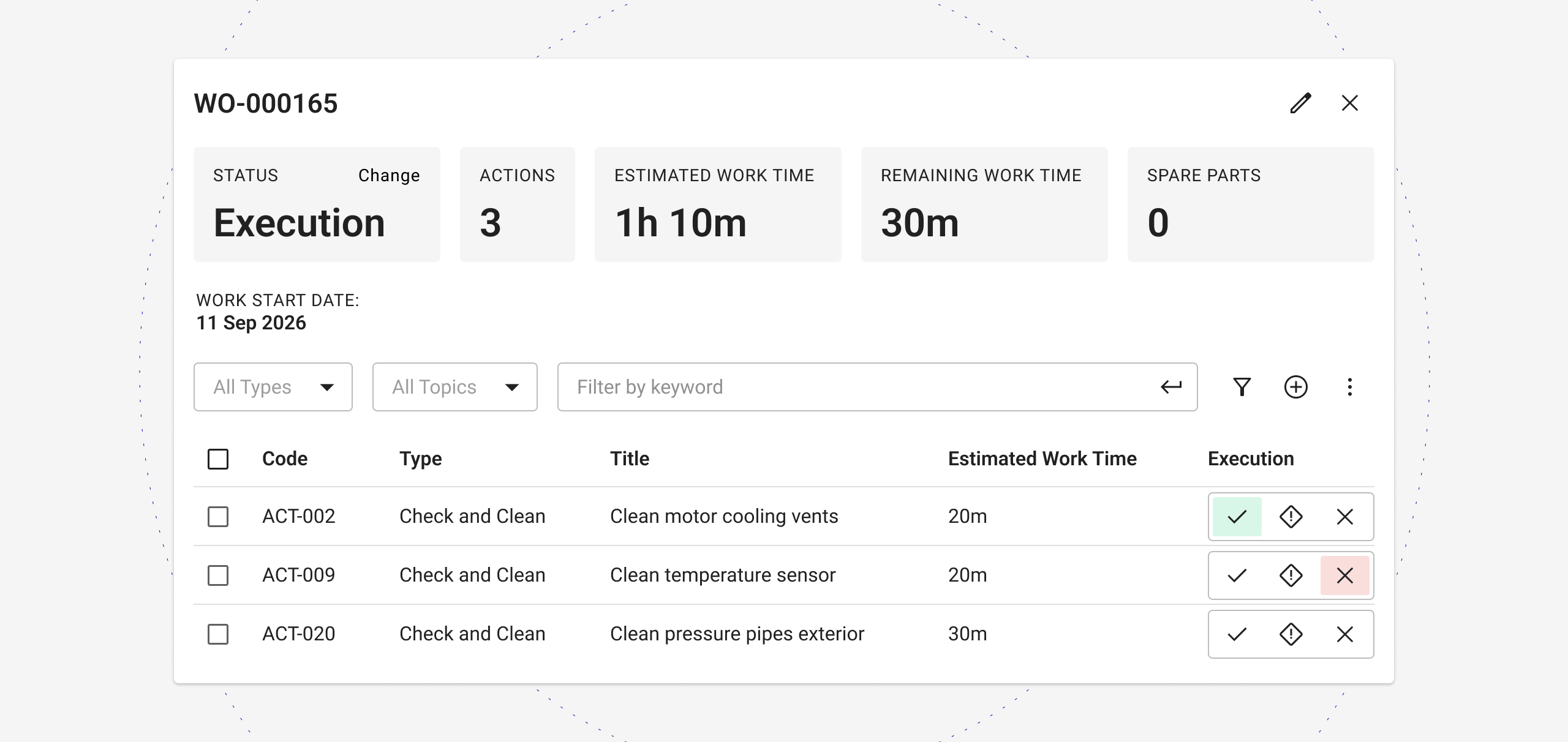
Remaining Working Time in Work Orders
The Work Order detail now shows the estimated remaining working time. It is calculated from the Work Order’s total estimated time minus the time of the actions already performed.
Technicians and service managers can see at a glance how much work is left. This makes it easier to plan the rest of the job and give customers a reliable completion estimate.