Displays the list of performed and running bulk updates.
The list displays the list of bulk updates related to:
bulk execution of commands;
bulk update of parameters;
bulk apply of recipes;
bulk update of firmware.
For each bulk update, you can access the main information:
Date: the date the update takes places
Operation: the synthetic description of the operation.
Type: the type of the update (COMMAND, PARAMETER, RECIPE, FIRMWARE).
Status: the update status (SCHEDULED, RUNNING, COMPLETED, NOT COMPLETED, STOPPED).
Progress: the number of updated things versus the total number of things to update.
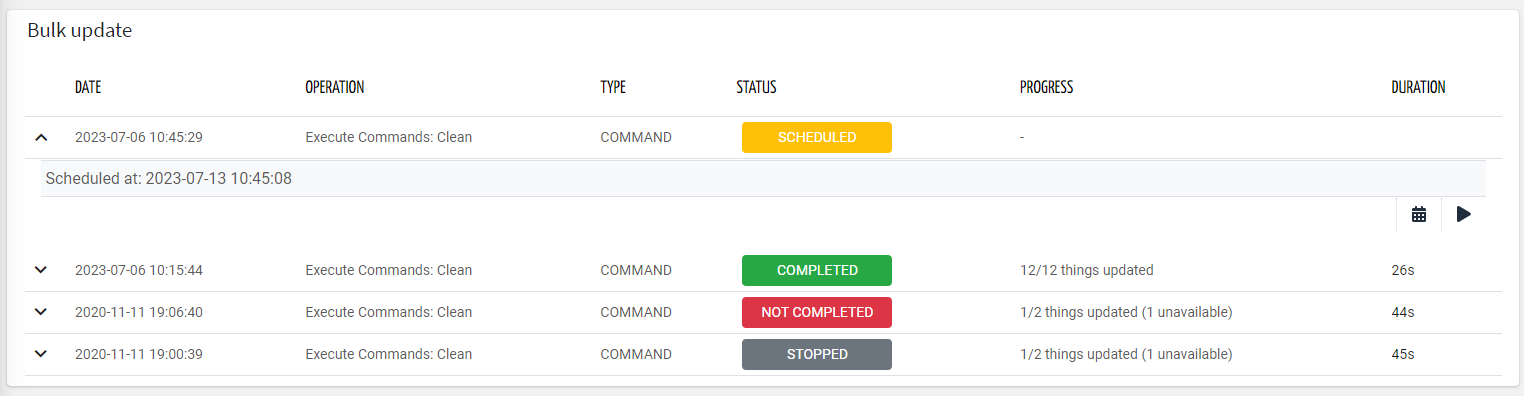
This widget can be placed in a top level page, and will display all the updates performed by the user itself, or any other user belonging to the same organization.
If needed, you can stop a running update, change the update schedule or retry an update if not completed.
Template Syntax
Below you can find some examples of how to use the component within a template.
<bulk-update-status-widget [title]="'Bulk Updates'"></bulk-update-status-widget>
Component Reference
Here is a comprehensive list of all the elements and properties that can be used to configure the component.
Bulk Update Status <bulk-update-status-widget>
Title | The title displayed on the top part of the widget box. Name: title Type: STRING | Optional
|
Rendering | |
Availability | Configure availability based on active features on Digital Plan on Add-ons Name: hasFeature Type: FEATURE (multiple) | Optional
|
CSS Class | The name(s) of the CSS class used to customize the widget layout. Name: class Type: STRING | Optional
|
Visibility Condition | The expression that allows you to reduce the visibility of the element. Name: *ngIf Type: STRING | Optional
|
Full Syntax Example
<bulk-update-status-widget
    [title]="'Bulk Update Status'"
    class="my-custom-class"
    *ngIf="getUser().organizationId != null"
    hasFeature="['feature_a', 'feature_b']"></bulk-update-status-widget>