Calling the API of a third-party system often requires authentication. Instead of configuring credentials on every request, you can define an authentication once and reference it in the Console wherever available.
When credentials change, for example, when a password is updated or a token is rotated, you only need to update the authentication; every endpoint that references it automatically uses the new values.
You can reference authentications in:
Managing Authentications
Wherever authentications are supported, the Authentication section lists the registered authentications by name: select the one the request must use.
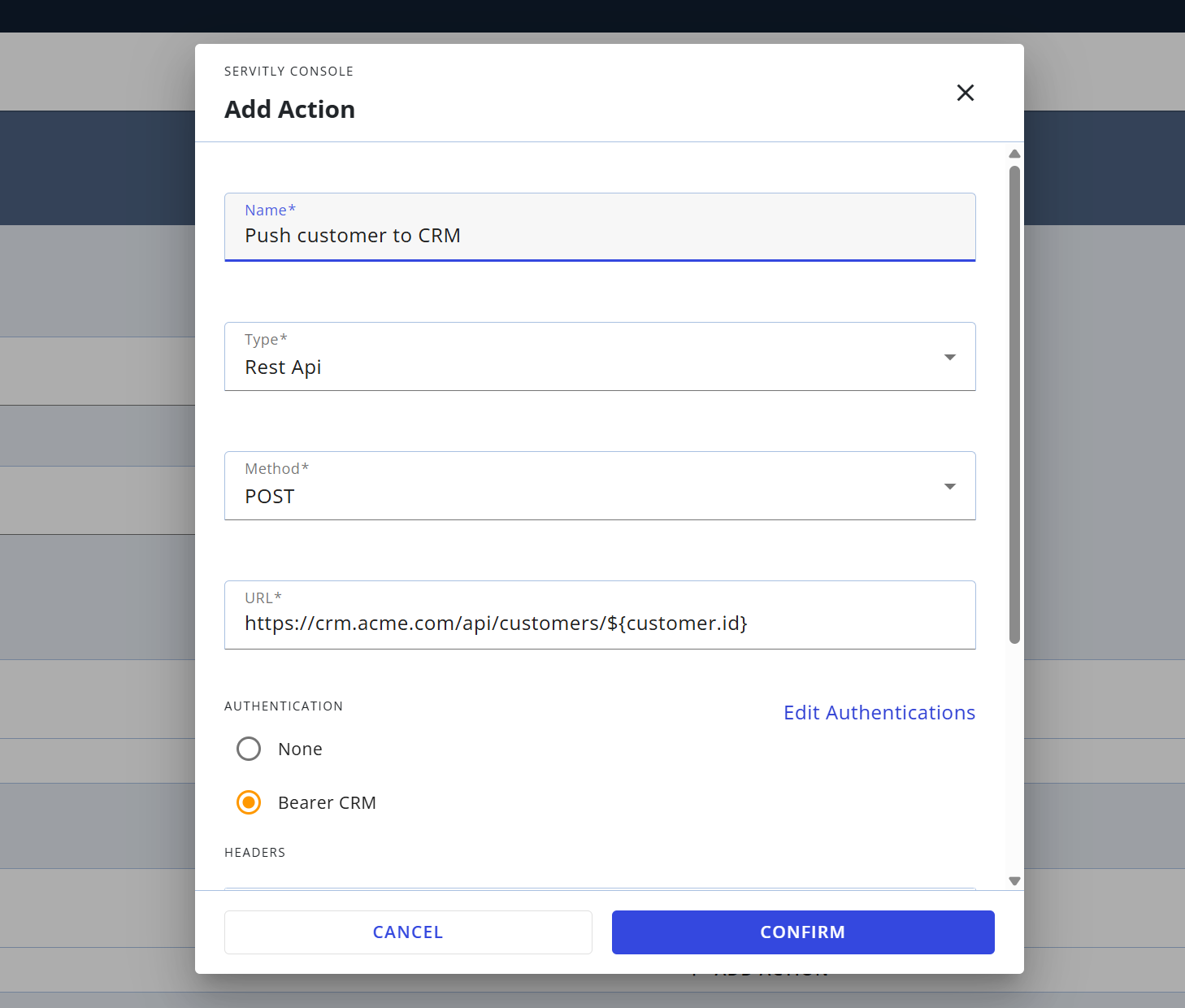
To create a new authentication or edit an existing one, click Edit Authentications.
Each authentication has the following properties:
Name: The name used to identify and select the authentication.
It cannot be changed once the authentication is created.Type: The authentication type: Basic, Bearer, or OAuth2.
The other properties depend on the selected type.
Authentication Types
According to the selected authentication type, additional properties must be configured.
Basic
The DPS backend encodes the username and password in Base64 and sends them in the Authorization header of the request.
Authorization: Basic <Base64 of username:password>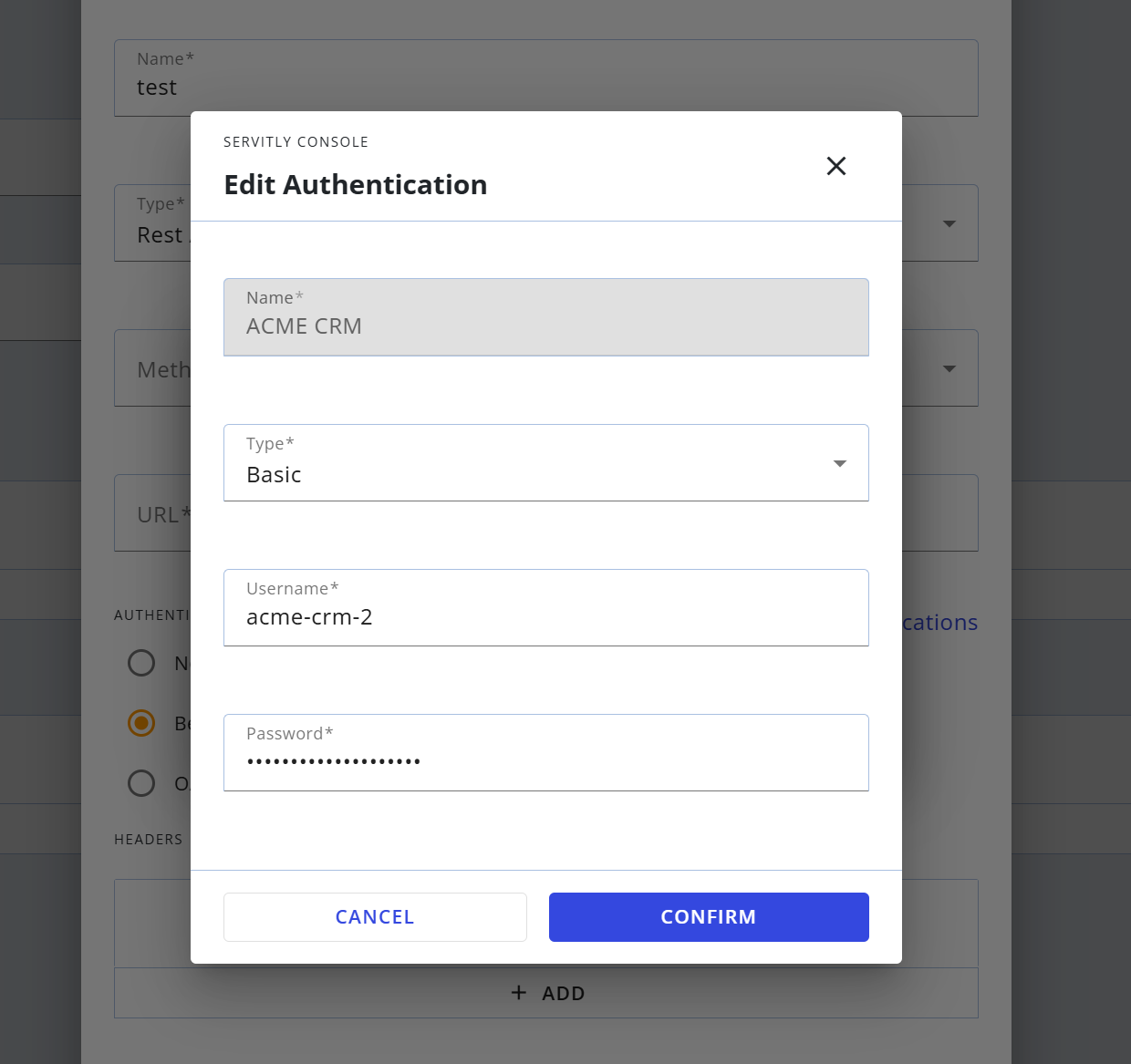
Configuration properties:
Username: The username used to authenticate.
Password: The password associated with the username.
Bearer
The DPS backend sends the token in the Authorization header of the request.
Authorization: Bearer <token>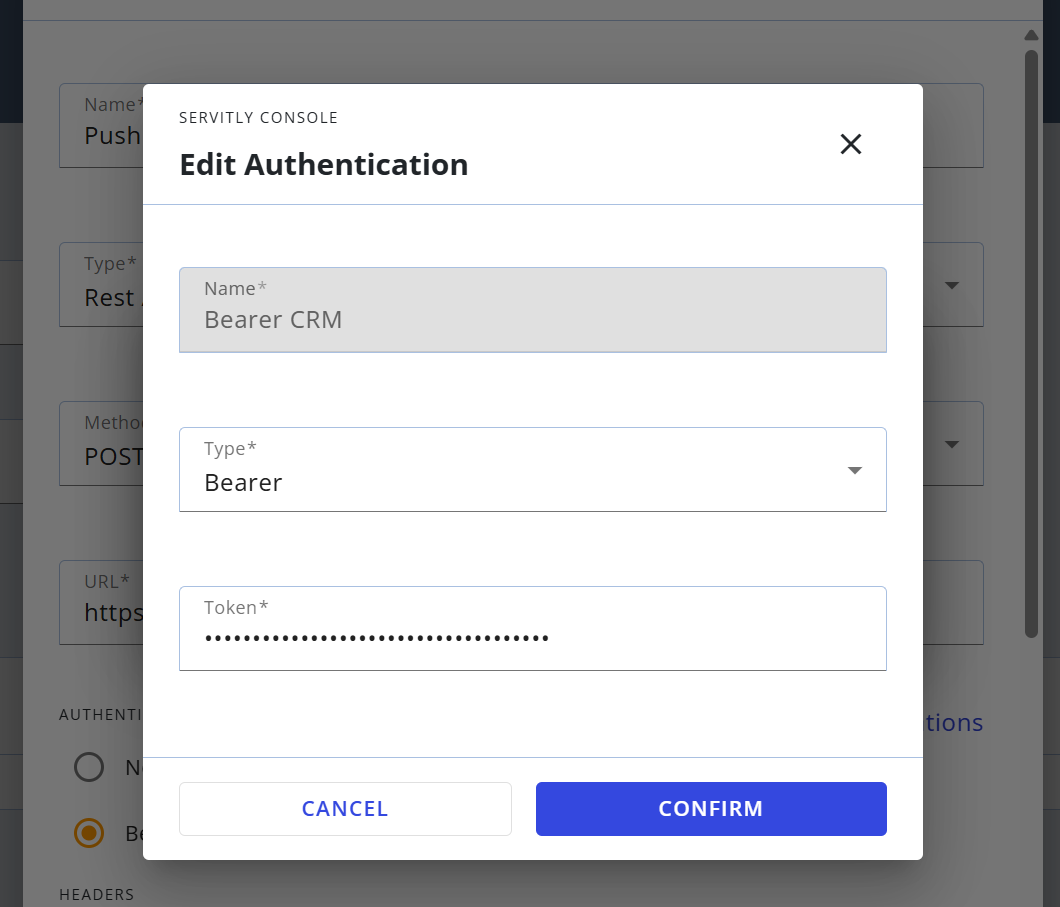
Configuration properties:
Token: The token issued by the external service.
OAuth2
The DPS backend requests an access token from the authorization server and sends it in the Authorization header of the request.
Authorization: <Token Header Prefix> <access token>A new access token is obtained for each request.
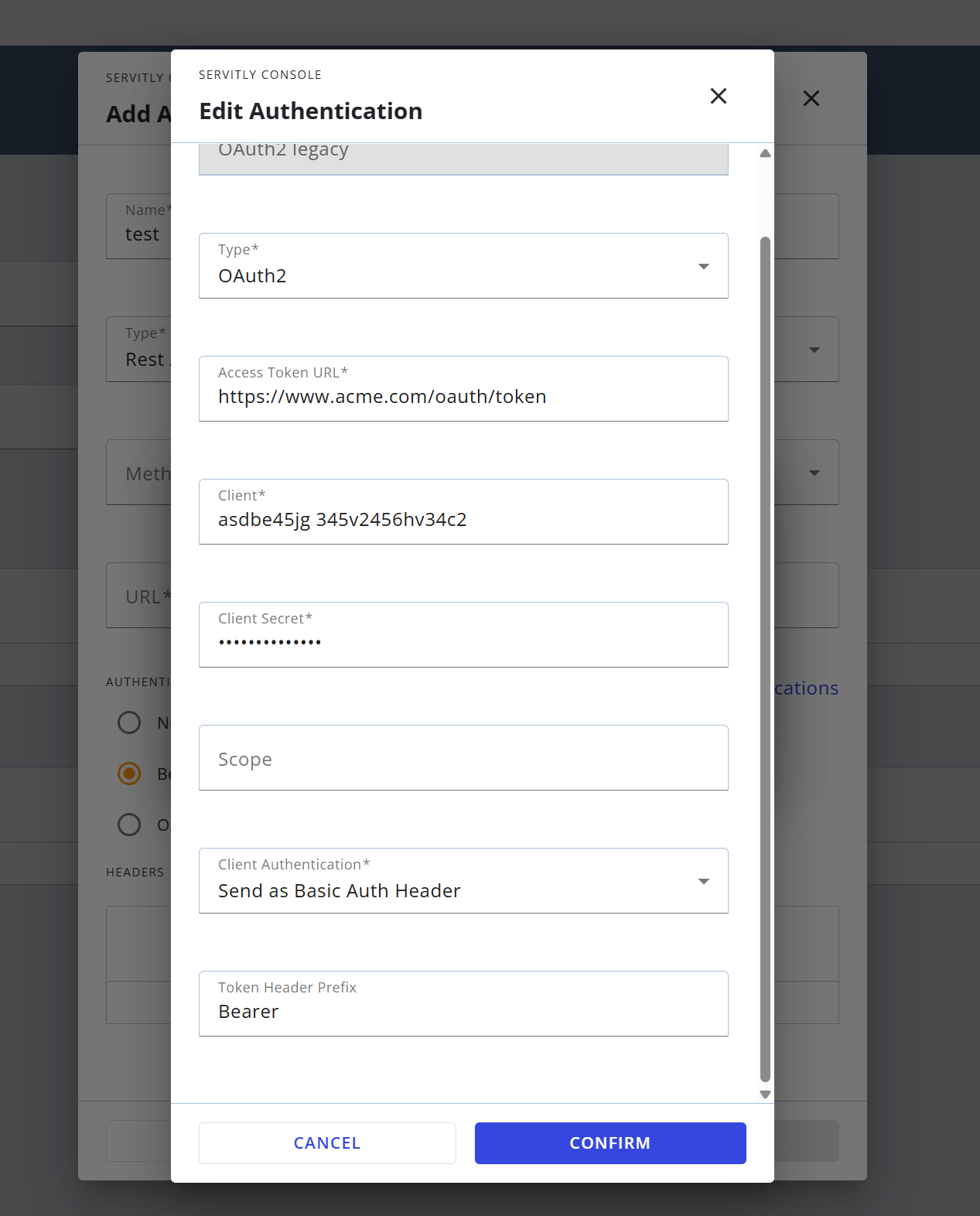
Configuration properties:
Access Token URL: The authorization server endpoint that issues access tokens.
Client: The client identifier registered on the authorization server.
Client Secret: The secret associated with the client.
Scope: The scope to request, if required by the authorization server.
Client Authentication: How the client credentials are sent to the authorization server (
Send as Basic Auth Header,Send client credentials in Body).Token Header Prefix: The prefix placed before the access token in the
Authorizationheader (for example,Bearer).